Navigate to the left-hand menu
On the main interface, locate and select the Debrief option.

- Add a Debrief
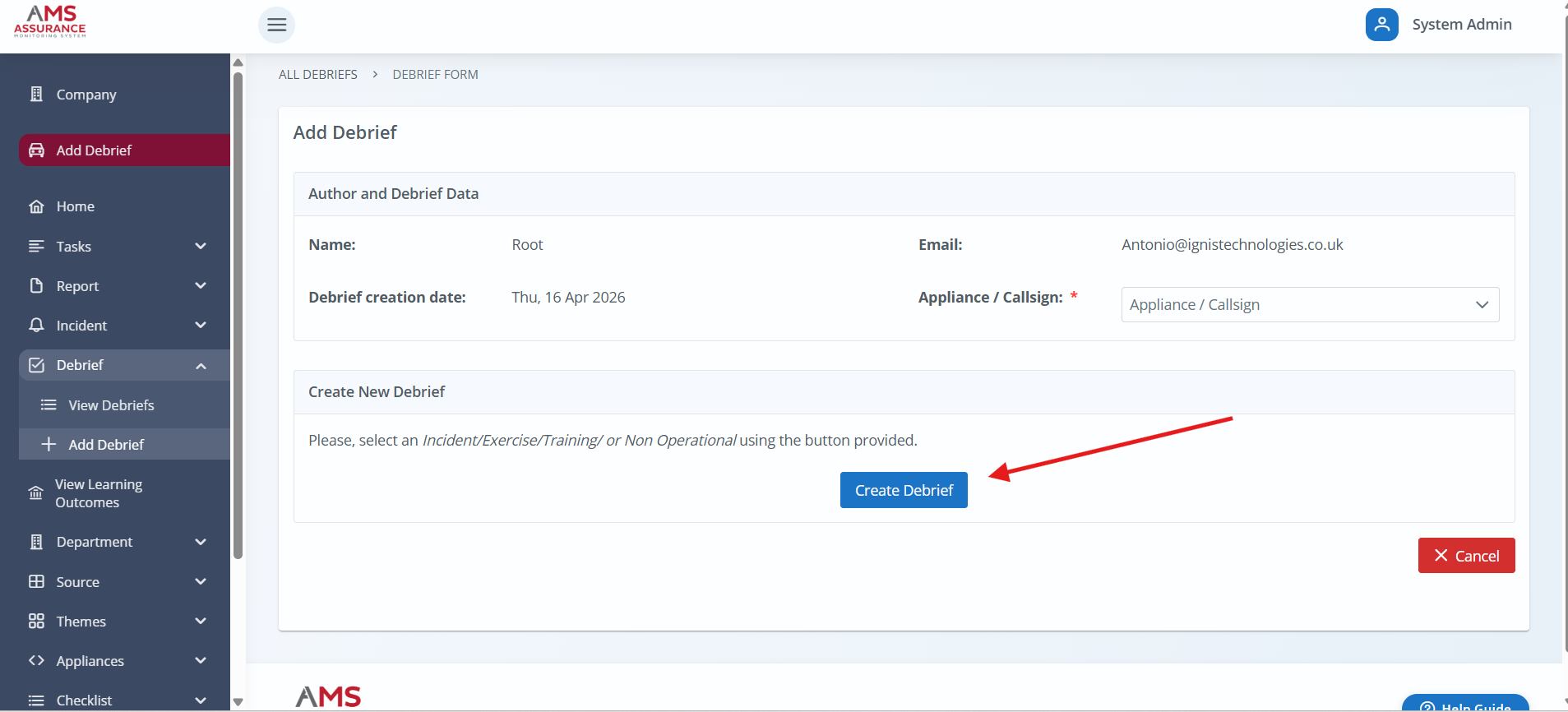
After selecting Debrief, click on the Add Debrief button to begin.

- Select an Option
Click the blue button to create a debrief.
Select a Category
Use the dropdown menu to choose Incident, Exercise, or Training or Non OperationalIncident Selection (if Incident is chosen)
If Incident is selected, you'll be prompted to enter the incident number.Date
The date will automatically be set to the current date.Choose the Incident
Select the appropriate incident from the list provided.Add the Incident
Click the + Add button, then click Select to confirm your choice.

- If no learning is identified, click the blue "No Learning Identified" button.

- If you go to the Debrief List, you’ll see the new debrief marked as Learning Not Identified.

Was this article helpful?
That’s Great!
Thank you for your feedback
Sorry! We couldn't be helpful
Thank you for your feedback
Feedback sent
We appreciate your effort and will try to fix the article