Overview
When a debrief is created, it is often a hot debrief completed by someone at the scene. In some services, one person may be nominated to record this on behalf of the group.
At a later stage, other individuals or teams may want to add further learning to that same incident, event or training activity once they have had time to reflect.
Within AMS, this is possible, but it requires a slightly different process from the standard debrief submission route.
When to Use This
Use this process when:
a debrief has already been recorded against an incident, event or training activity
additional learning needs to be added afterwards
another person is submitting learning linked to the same record
further reflection has taken place after the initial hot debrief
Creating the Learning
1. Start a new debrief
Create a debrief in the usual way by selecting Create Debrief.
2. Open the incident selection list
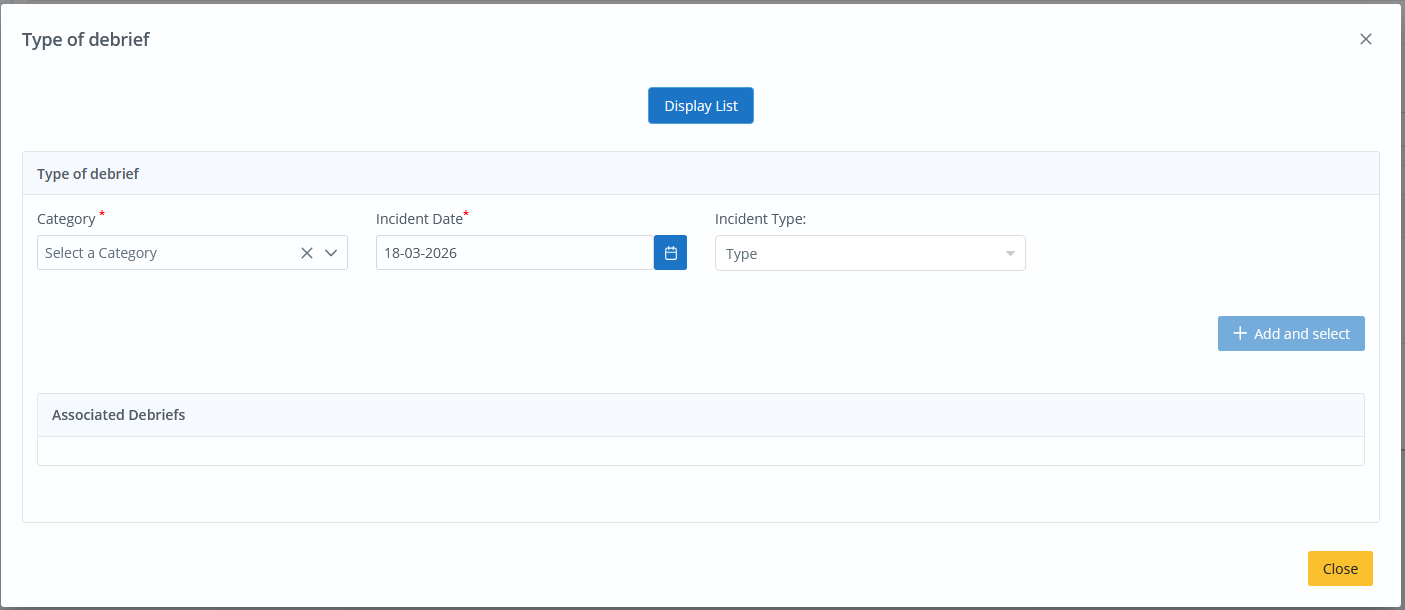
When you reach the incident details section, select Display List.
This changes the screen from creating a new incident, event or training record to selecting an existing one.
To return to the standard creation view, click the button to Create a new one.
3. Find the correct record
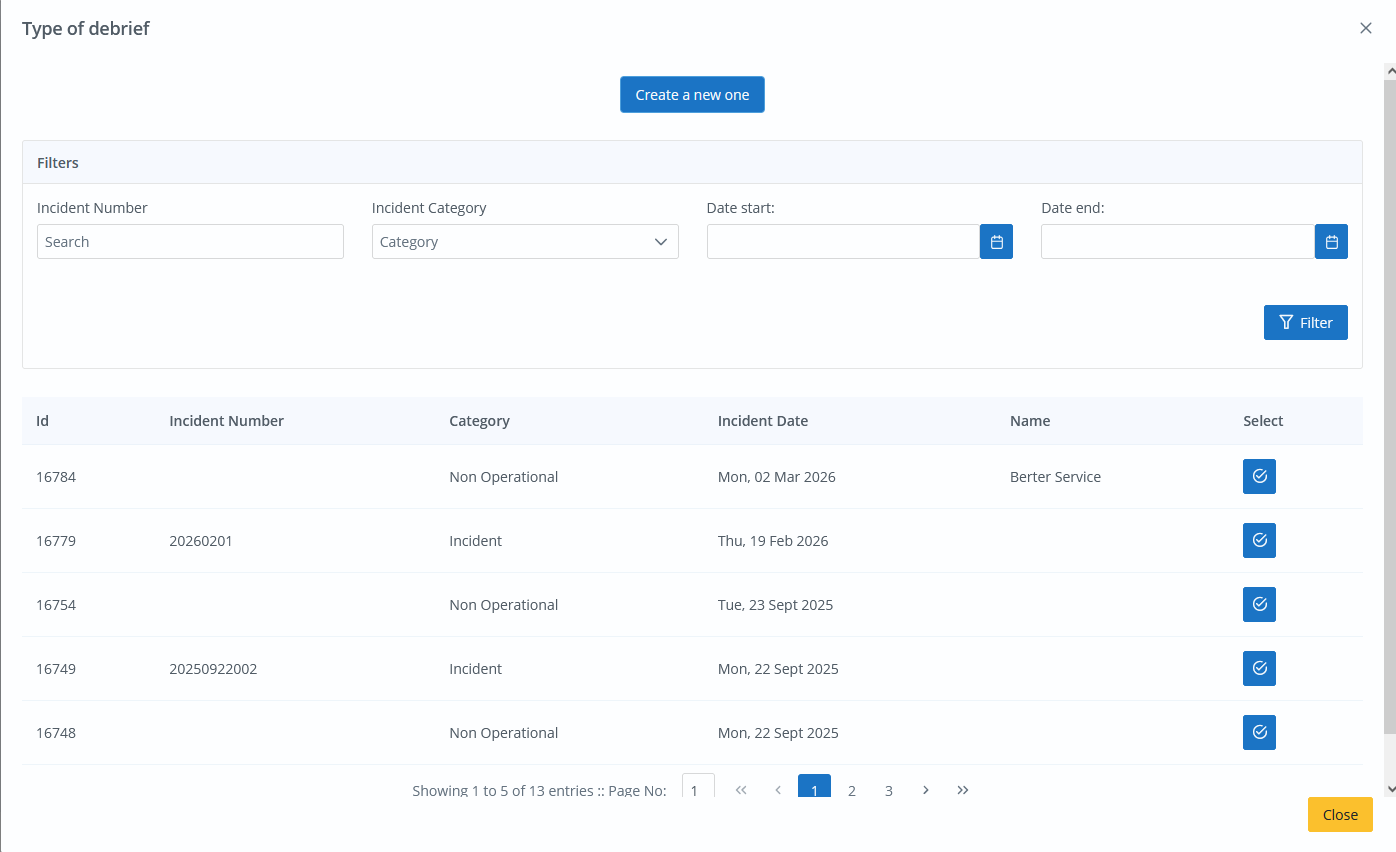
Use the list and available filters to locate the incident, event or training record you want to link the debrief to.
You can search or filter by details such as:
incident number
category
date range
4. Select the existing incident, event or training
Choose the relevant record from the list.
This will link your new debrief to the existing incident, event or training entry rather than creating a duplicate.
5. Complete the debrief
From here, complete the debrief in the normal way by entering the learning outcomes and all other relevant information for review.
Best Practice
This process is useful where multiple people need to contribute learning from the same incident or where additional learning is identified after the initial submission.
Using the existing record helps to:
keep related learning together
avoid duplicate incident or event entries
improve oversight of all learning connected to the same activity
maintain clearer context for reviewers and reporting
Important Note
Before submitting, always check that you have selected the correct incident, event or training record.
This ensures the new debrief is attached to the right context and that all related learning can be reviewed together.
Was this article helpful?
That’s Great!
Thank you for your feedback
Sorry! We couldn't be helpful
Thank you for your feedback
Feedback sent
We appreciate your effort and will try to fix the article