Introduction
Theme Visibility is a feature within the Assurance Monitoring System (AMS) that allows administrators to control which themes are available for selection during task and debrief submission.
This is particularly useful for:
- Removing outdated or duplicate themes
- Streamlining the list for operational staff
- Ensuring consistent and relevant data capture
When a theme is set to not visible, it will, not appear in task or debrief submission menus but will still be available for searching and reporting
Why Use Theme Visibility
You may want to turn theme visibility off when:
- older themes are no longer in active use
- duplicate themes have been replaced with a cleaner structure
- you want to simplify the options shown to operational users
- you are reviewing and standardising your organisation’s data capture
How to Change Theme Visibility
- From the left-hand menu, open Themes.
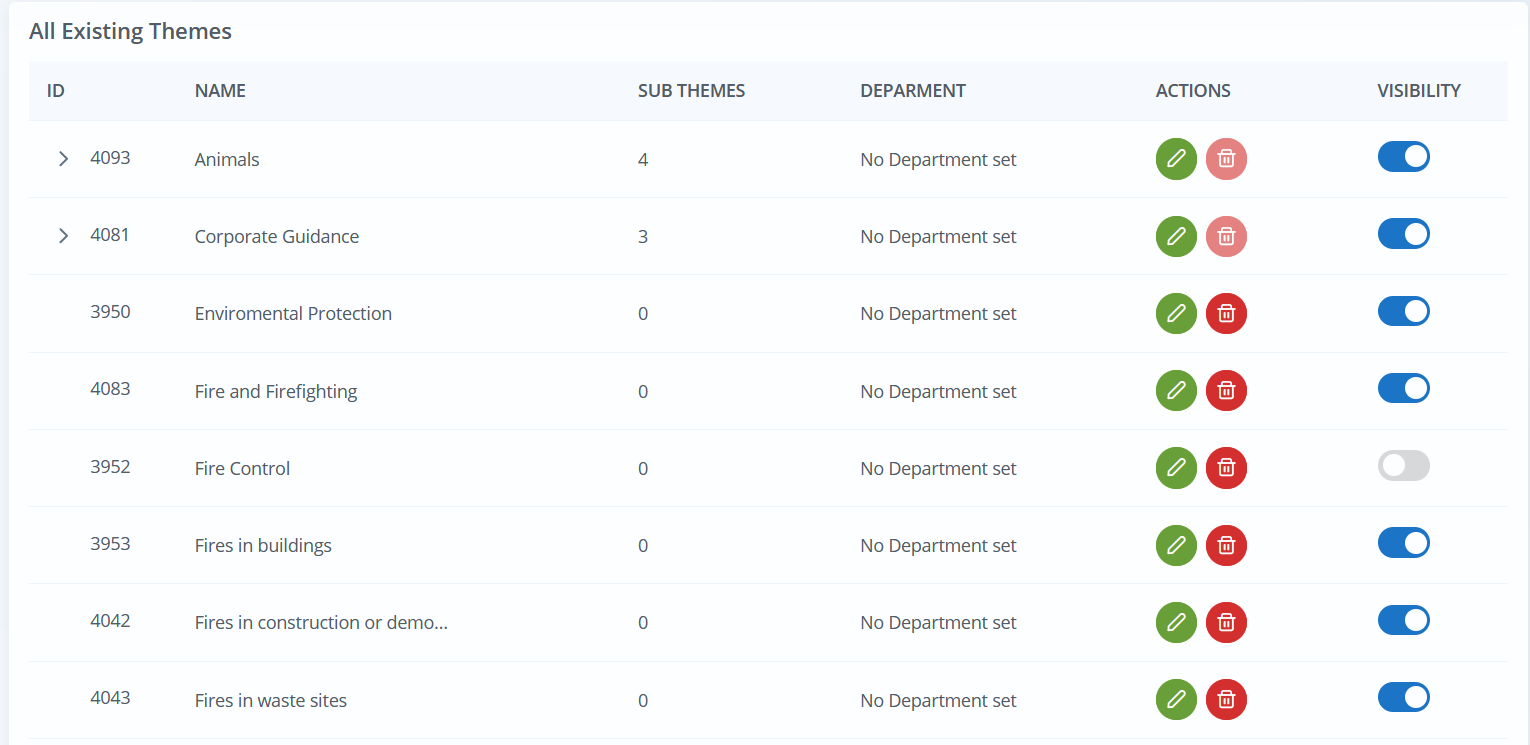
- View the list of existing themes.
- Locate the theme you want to update.
- In the Visibility column, use the toggle switch to turn visibility on or off.
What the Toggle Means
- Toggle on (Blue) - the theme is visible during new Task and Debrief submission
- Toggle off (Grey) - the theme is hidden during new Task and Debrief submission
The theme is not deleted. It remains in the system for searching, filtering, and reporting.
Example
A service may have historic themes that were created during early onboarding or during a previous reporting approach. These may still be linked to older incidents, debriefs, or tasks, so deleting them would not be appropriate.
By turning visibility off, those themes remain available for reporting, but staff creating new records will only see the current approved theme list.
Where You Will Notice the Change
Once a theme has been made not visible:
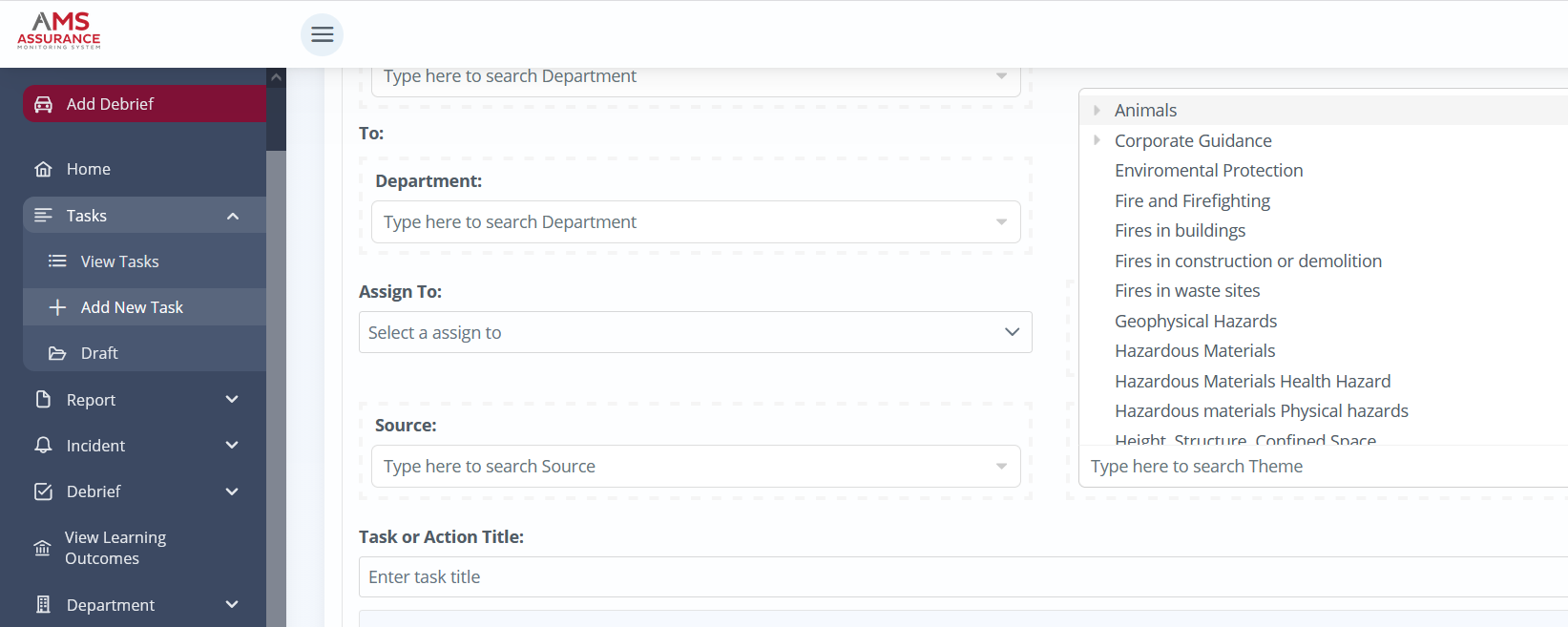
- it will no longer appear in the theme selection list on Add New Task
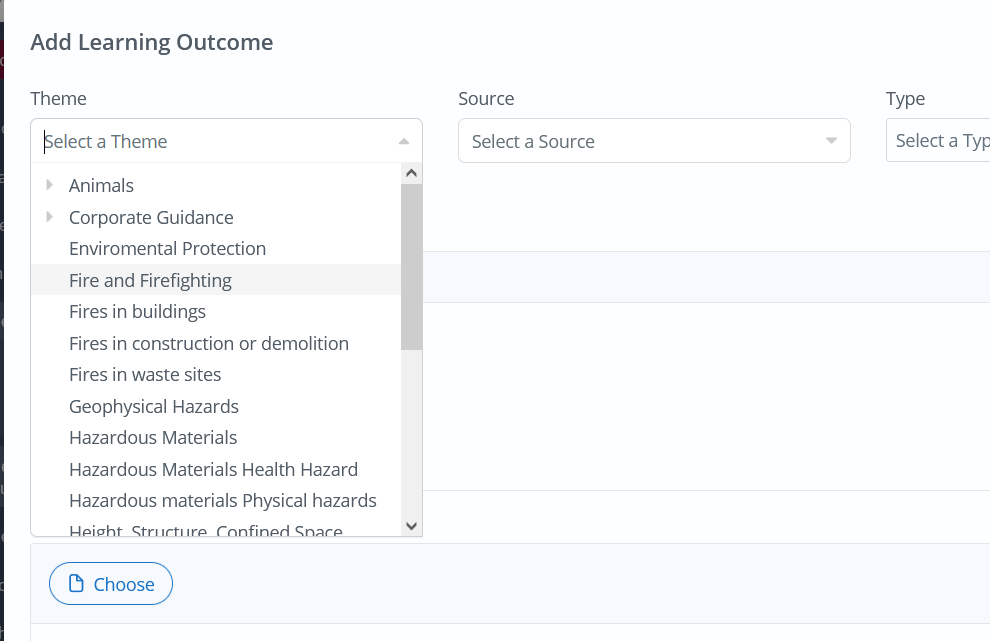
- it will no longer appear in the theme selection list on Add Debrief
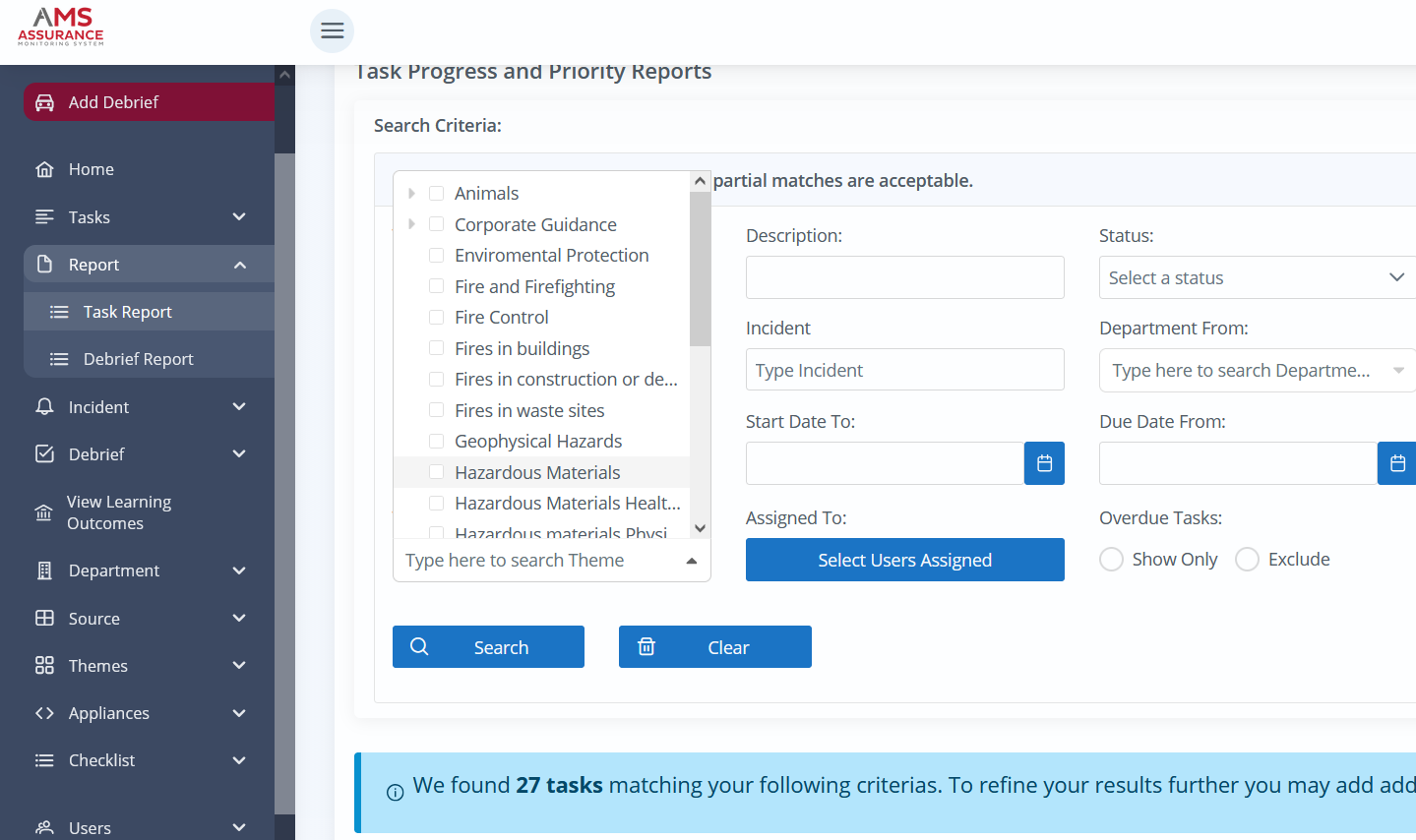
- it will still appear in theme filters used in search and reports
Important Notes
- Turning visibility off does not remove the theme from historic data.
- Turning visibility off does not affect reporting.
- Turning visibility off does not delete the theme.
- Theme visibility only affects whether the theme appears when creating new Tasks or Debriefs.
Who can Toggle Visibility
- Visibility is controlled with the same permissions for those who can create Themes.
- Users with write_themes permission sets are able to manage this feature.
Was this article helpful?
That’s Great!
Thank you for your feedback
Sorry! We couldn't be helpful
Thank you for your feedback
Feedback sent
We appreciate your effort and will try to fix the article