The Theme Guide Resource allows a service to add a help link that can be shown when users are creating a learning outcome in a debrief.
This link is intended to help users choose the most appropriate theme when submitting learning. It can be used to point users to local guidance, a theme selection guide, or any other internal resource your service uses.
Who can manage the Theme Guide Resource?
Users with the task_force permission can add or update the Theme Guide Resource link.
Where does the link appear?
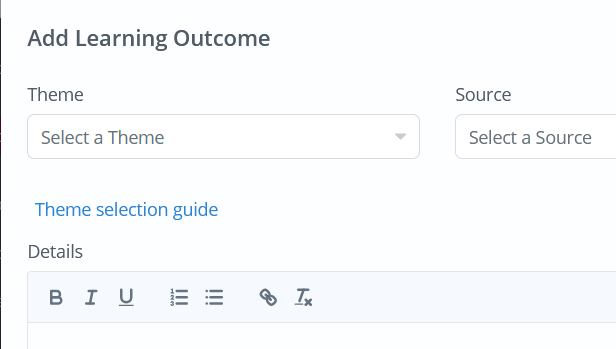
Once added, the link appears in the Add Learning Outcome window when creating learning from a debrief.
Users will see the link as Theme selection guide. Selecting the link will open the resource that has been configured by the service.
How to add or update the Theme Guide Resource
- Log in to AMS.
- Open the side menu.
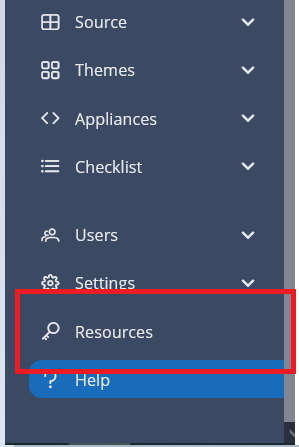
- Select Resources
- Enter the required URL in the Theme Help Link field.
- Select Save.
Things to check
- The link should be a full web address, for example starting with https://.
- The resource should be accessible to the users who need to view it.
- If the resource is hosted internally, users may need to be on your service network or signed in to your internal systems.
Important note
This feature does not change how themes work in AMS. It only provides a helpful link to guide users when selecting a theme.
As a company preference setting, to enable this for your service, please contact the support team.
Was this article helpful?
That’s Great!
Thank you for your feedback
Sorry! We couldn't be helpful
Thank you for your feedback
Feedback sent
We appreciate your effort and will try to fix the article