Overview
Within AMS, each task is assigned to a department. This department assignment supports both reporting and visibility across the platform.
This guide explains how to take an existing task and copy it to another department and/or delegate.
As a best practice, we recommend using Copy Task when the same or very similar action needs to be managed by multiple departments, rather than relying only on cross-department assignment.
When to Use This
Use this method when:
the same work needs to be tracked by more than one department
separate departments need their own ownership of a similar task
you want to keep related actions linked together for easier navigation and oversight
multiple teams are contributing to the same project or learning outcome
How to Copy a Task
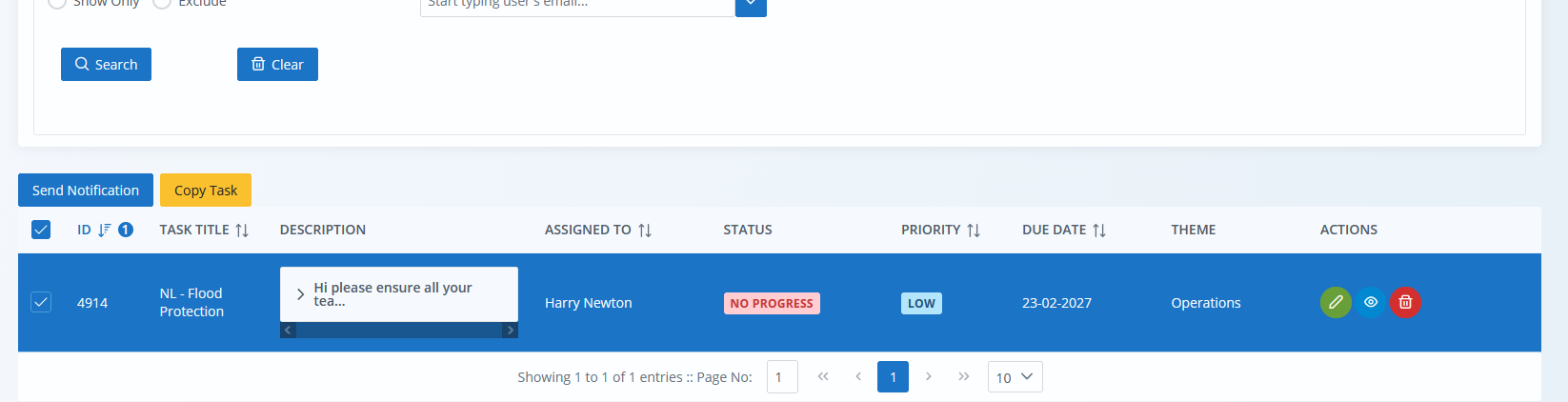
1. Find the original task
Search for and locate the task you want to duplicate.
2. Select the task
Tick the relevant task from the task list.
3. Choose Copy Task
Once selected, click Copy Task.
4. Review the copied task form
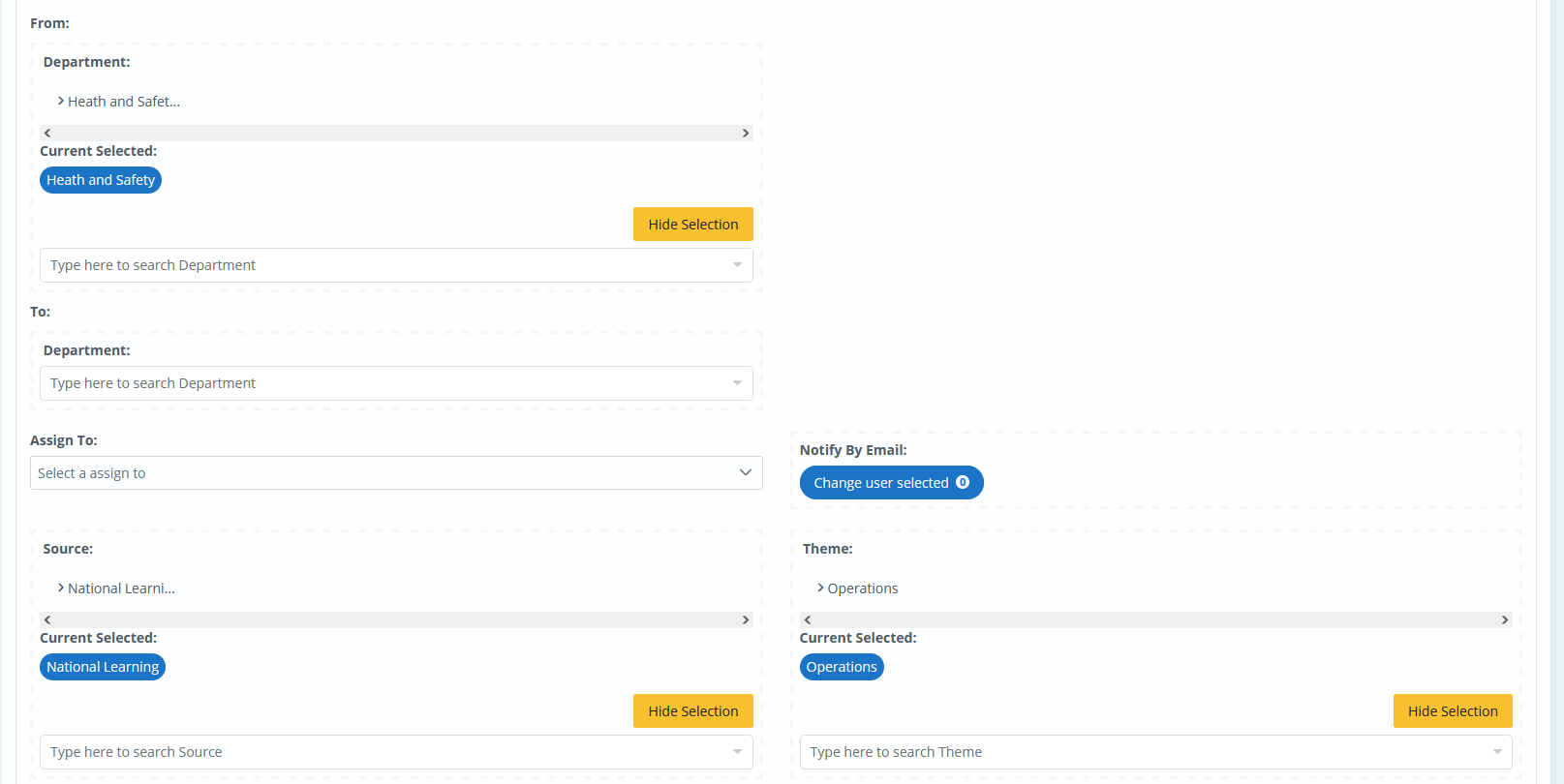
The task create/edit screen will open with the original task details already populated.
The copied task will retain the original information, with the exception of:
To Department
Assign To
These fields must be completed again for the new copied task.
5. Update the required fields
Enter the new department, delegate, or any other details that need to differ from the original task.
6. Save the task
Once complete, choose Add Task to create the copied task.
What Happens Next
The copied task is linked to the original task for easier navigation.
This helps users move between related tasks and maintain visibility of work connected to the same project, incident, or learning outcome.
Best Practice
Copying tasks is particularly useful when several departments are working on similar actions connected to the same piece of work.
Using linked tasks in this way can help:
keep departmental ownership and accountability clear.
improve the accuracy of reports
maintain context across a wider project
track related actions in a similar way to how Sources help group related learning
Was this article helpful?
That’s Great!
Thank you for your feedback
Sorry! We couldn't be helpful
Thank you for your feedback
Feedback sent
We appreciate your effort and will try to fix the article